A Network Monitor MCP Server for Your Mac
Ask Claude, ChatGPT, Codex or Cursor what your Mac is connecting to. FlowSense serves traffic and usage over MCP, with read-only access by default.
Facts checked on 3 November 2026.
What Your AI App Can Read
FlowSense's MCP server runs on your Mac behind a private token. It exposes connection queries, usage reports and traffic history, service identification, diagnostics and your rules. The engine names 800+ apps and services from connection handshakes without decrypting traffic. How traffic identification works.
Since FlowSense 0.5.43, newly connected AI apps get a read-only token. Tools that change policy or roll it back are not offered to that token. You can ask about traffic without giving an AI app permission to change it.
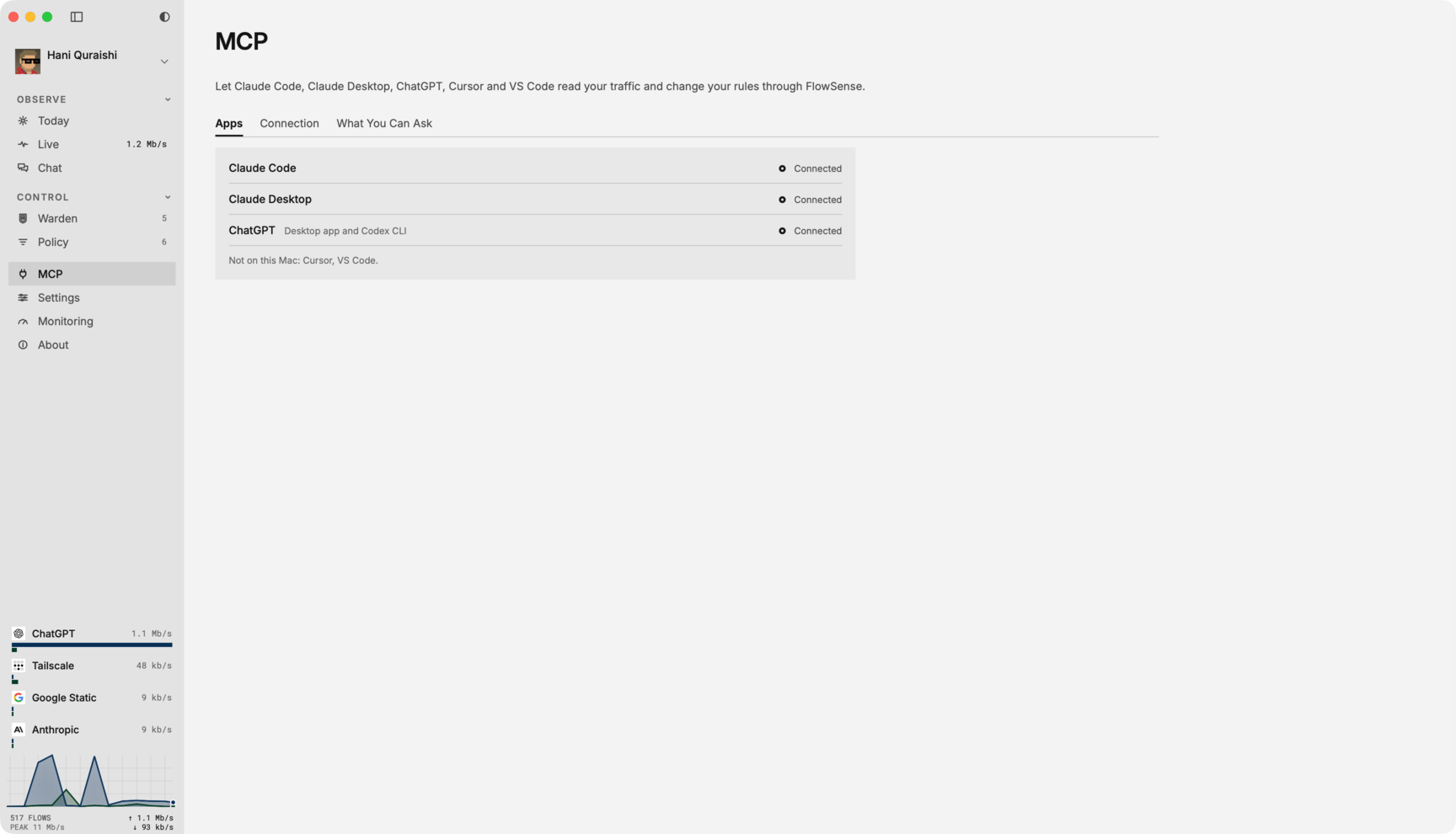
Connect Claude, ChatGPT, Codex or Cursor
- Install FlowSense, sign in and allow its network filter. You need an Apple silicon Mac running macOS 14 or later.
- Open Settings › AI Apps (Use FlowSense with Other AI Apps). Earlier releases call this page MCP.
- Leave Allow Changes off to start with read-only access. Choose Connect beside your AI app.
- For Claude Code, use Connect or copy the command FlowSense shows into Terminal. It supplies your Mac's endpoint and reads the token from its file.
- For Claude Desktop, install the FlowSense extension and paste the copied token into its configuration when asked. Copy Token gives you another copy if it has expired from the clipboard.
- The ChatGPT entry also connects the Codex CLI; Cursor and VS Code have separate entries. Follow the app-specific instructions shown there, then reopen the AI app if it needs to reload its MCP settings.
Use the connection details generated on your Mac. A local server is not a public URL you can paste into a remote web connector. Keep its token private.
Three Questions to Try
These prompts use tools exposed by FlowSense. Answers come from your own traffic; the descriptions below explain the result rather than quoting a recorded session.
"What Used the Most Data Today?"
usage_report groups usage by app or service over a time window. Ask for the largest uploads separately if you are looking for a backup or sync job.
"Graph Slack's Traffic Over the Last 6 Hours"
usage_series returns usage over time for the requested service. The AI app can describe when the traffic peaked or draw a chart if it supports charts.
"Is Zoom Being Blocked or Failing?"
diagnose checks the named service. Follow up by asking which rules apply before deciding whether to change anything.
Let an AI App Change Rules
Turn on Allow Changes and reconnect the AI app to give it a token with write access. Apps connected before 0.5.43 retain their old token until reconnected; changing the switch alone does not replace a token already held by another app.
With write access, tools such as set_access_rule and remove_access_rule can block identified services or remove their rules. Rules can also slow matching traffic. A service name means traffic the engine classifies, not every connection made by a Mac executable.
For example, ask "Block TikTok for an hour." Check the resulting rule in Policy, where you can remove it. Giving an AI app write access lets it act through those tools; FlowSense does not require a separate approval for every MCP write. Use your AI app's tool approvals as well.
Where Your Traffic Goes
The MCP endpoint is local. The AI app you connect can send the traffic details it reads to its model provider. A local server does not make a cloud AI conversation local. FlowSense's own Chat reads traffic and cannot change rules; external MCP apps with write access can.
Close the FlowSense window and the engine, MCP server and rules keep running. See all FlowSense features.
Price and Requirements
MCP needs Full or the 7-day trial. Watching traffic in FlowSense stays free, with an account. Full costs $29 once for 1 Mac, with the founding offer ending at the end of 9 November 2026, Pacific time; the regular price is $49. Pricing and license terms.
FlowSense is Mac only, requires Apple silicon and macOS 14 or later, and is not available in the EU, the UK, Iceland, Liechtenstein or Norway yet.