Which App Is Using My Bandwidth on Mac?
Activity Monitor answers it in a minute. Terminal gives you numbers you can copy. FlowSense shows the services inside each app's traffic, and when it happened.
Facts checked on 31 October 2026.
1. Activity Monitor
- Open Activity Monitor. It's in Applications › Utilities, or search for it with Spotlight.
- Click Network at the top of the window.
- Click the Rcvd Bytes column to sort by data received, or Sent Bytes for data sent. Click it again to put the largest first.
The bottom of the window shows the whole Mac: data received and sent, in total and per second. To keep an eye on it, choose View › Dock Icon › Show Network Usage.
The byte columns are totals for each process since it started, so a process that has run for days can top the list without being busy now.
2. nettop in Terminal
nettop comes with macOS. This shows one row per process and updates every second. Press q to quit.
nettop -PAdd -d to show what each process moved since the last update, instead of totals:
nettop -P -dFor one snapshot you can copy, with the biggest downloaders first:
nettop -P -L 1 -J bytes_in,bytes_out | sort -t, -k2 -nr | headEach line is the process name and its ID, then bytes received and bytes sent. man nettop lists every option.
What Both Miss
- They show processes, not what's inside them. A browser's traffic is spread over its helper processes, with no sign of which sites or services it was.
- They show the present. Quit an app and its row is gone, so you can't see what used the most last night.
- Some system processes work for other apps.
nsurlsessiondruns background downloads and uploads for apps, so its row doesn't say whose transfer it is.
3. FlowSense Free
FlowSense names 800+ apps and services by reading each connection's handshake, without decrypting anything. Watching is free, with a free account.
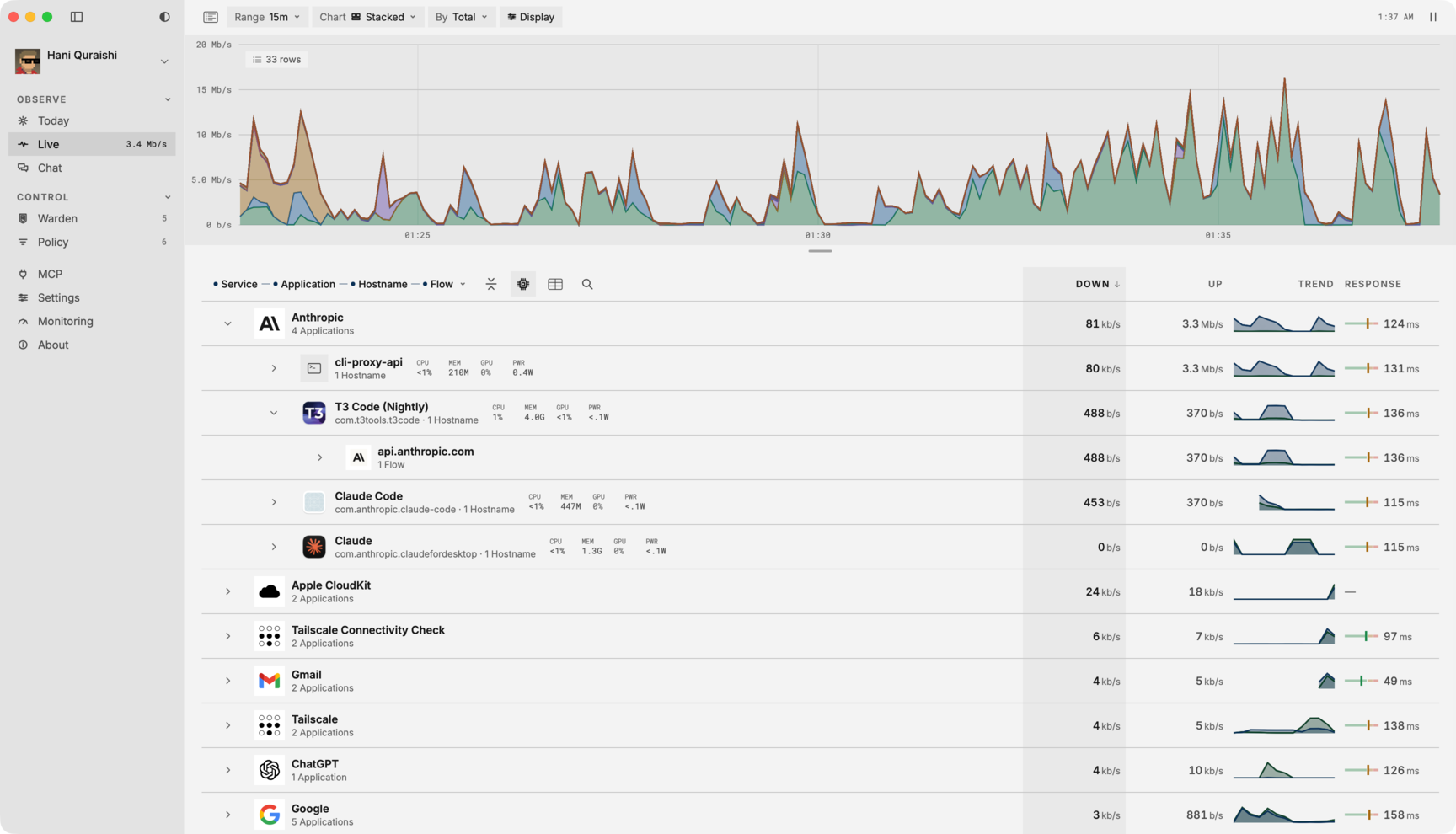
Live shows a chart of the last sixty seconds above a tree: application, service, hostname, connection. Every row shows download, upload, trend and response time, so a browser's traffic splits into the services inside it. You can quit a misbehaving app from its row.
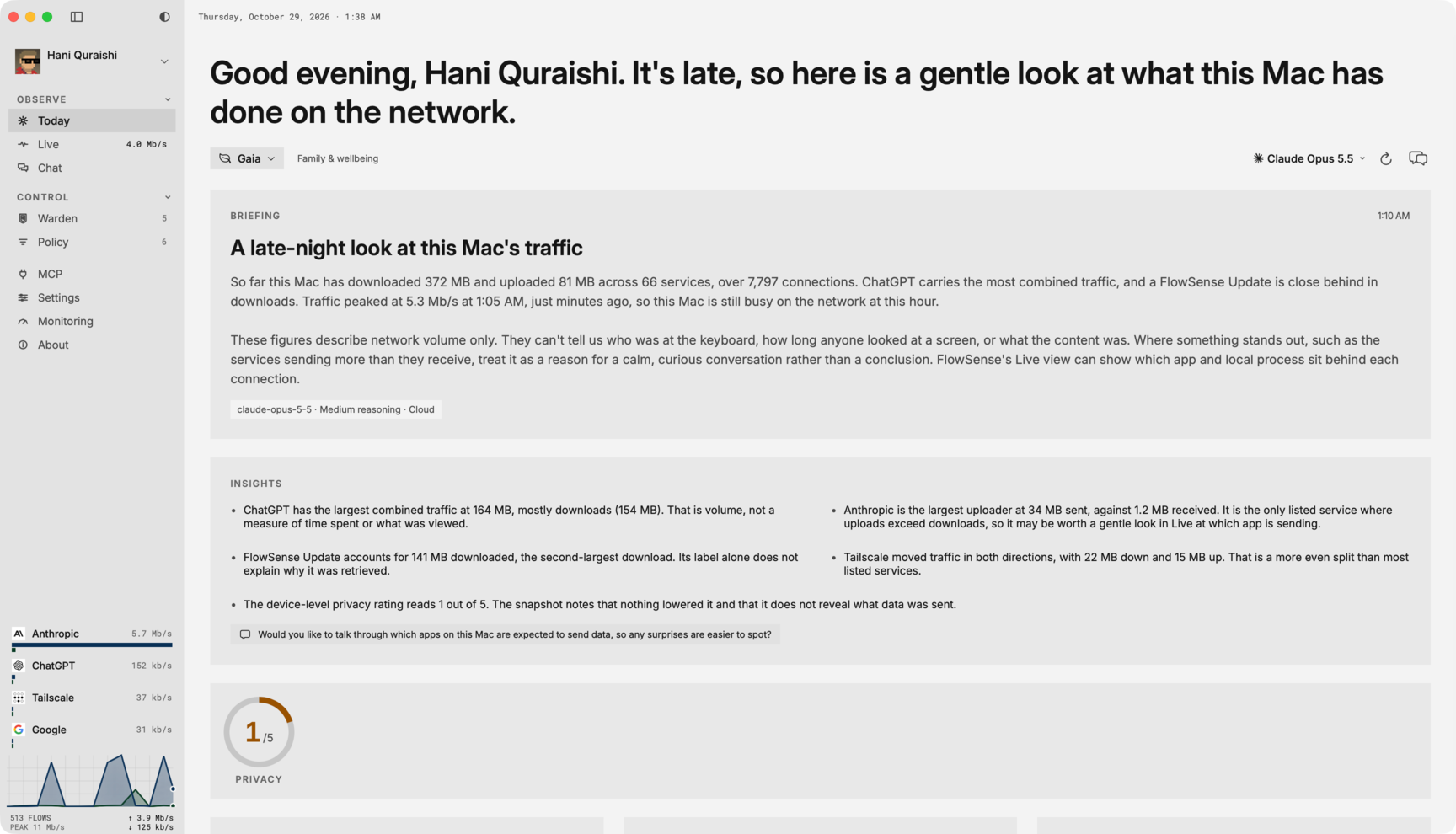
Today keeps the day's traffic by app, direction and hour, so you can see what used the most while you were away.
All the features, and how the engine names apps.
Once You've Found It
- Quit it, or pause its sync or download in its own settings.
- Slow it instead of stopping it. With FlowSense Full, a rule slows an app or service to a rate you set, on a schedule or until it expires.
- Block it. FlowSense Full blocks any app, hostname or category the engine can name. See pricing.
Common Culprits
iCloud
iCloud Drive syncs as bird, and much of the rest of iCloud goes through cloudd. Expect a large upload after you add a lot of files or photos.
macOS Updates
Software updates download in the background as softwareupdated.
Time Machine
Backups to a network disk run as backupd, and the first backup moves everything.
nsurlsessiond
Background transfers for other apps, such as app updates and media downloads. Activity Monitor can't say which app asked for them. FlowSense shows the service and hostname behind the traffic.