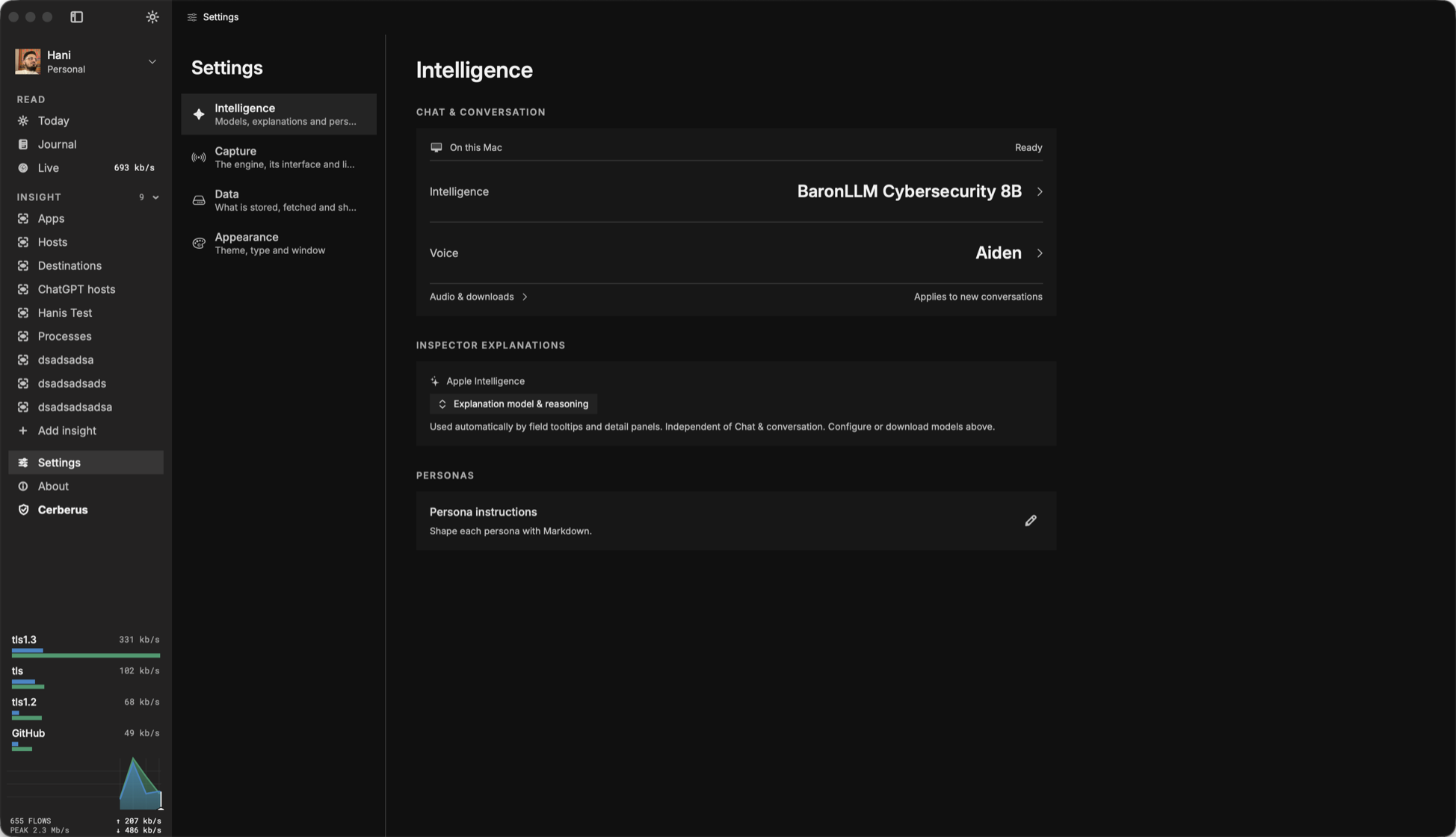
Read your network. Then run it.
Explore traffic on your Mac, write policies, and choose local models or connected agents. See our privacy policy for account services, optional reporting, and external requests.
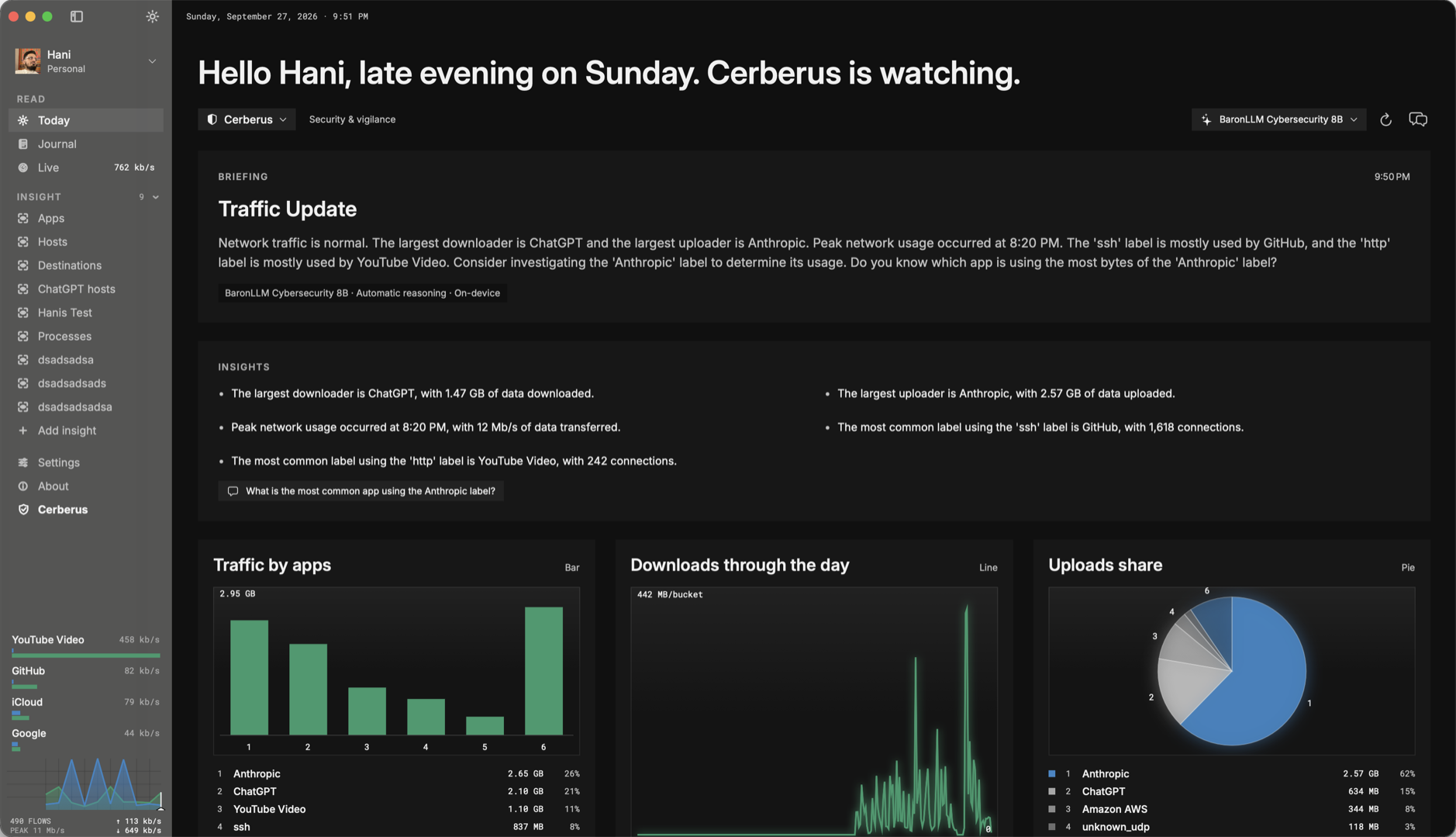
A briefing, not a dashboard.
Every day opens with a few sentences that fall out of the numbers: who moved the most, what changed, what is worth a look. Written on your Mac by Apple Intelligence or a local model, in the voice of the persona you pick.
- Seven personas: Gaia for family, Cerberus for security, Kepler for patterns, Seneca for focus, Concord for workplace, Zephyr for traffic, Vesper for privacy
- Traffic by app, direction, and hour
- Ask a follow-up in chat or by voice
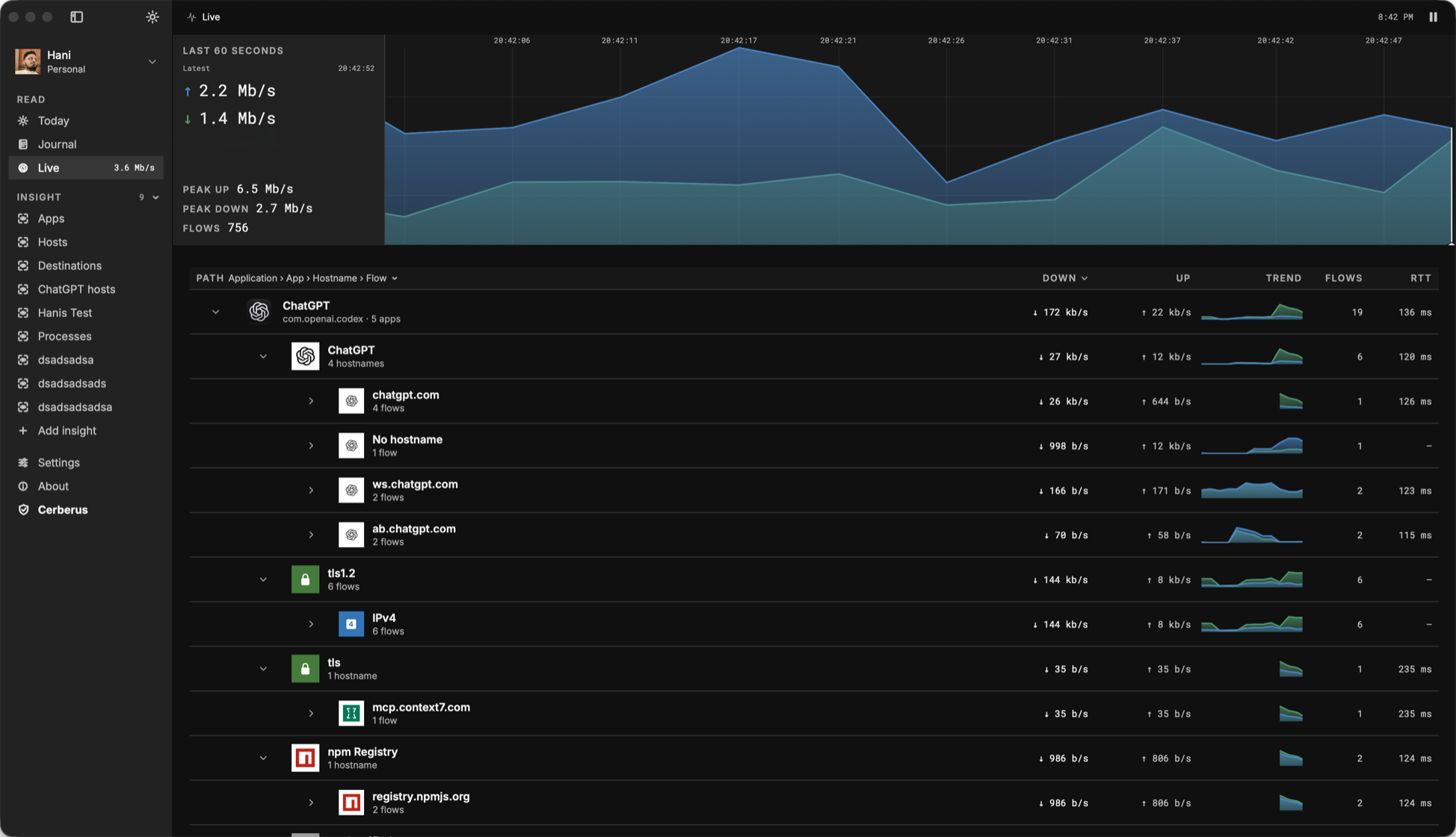
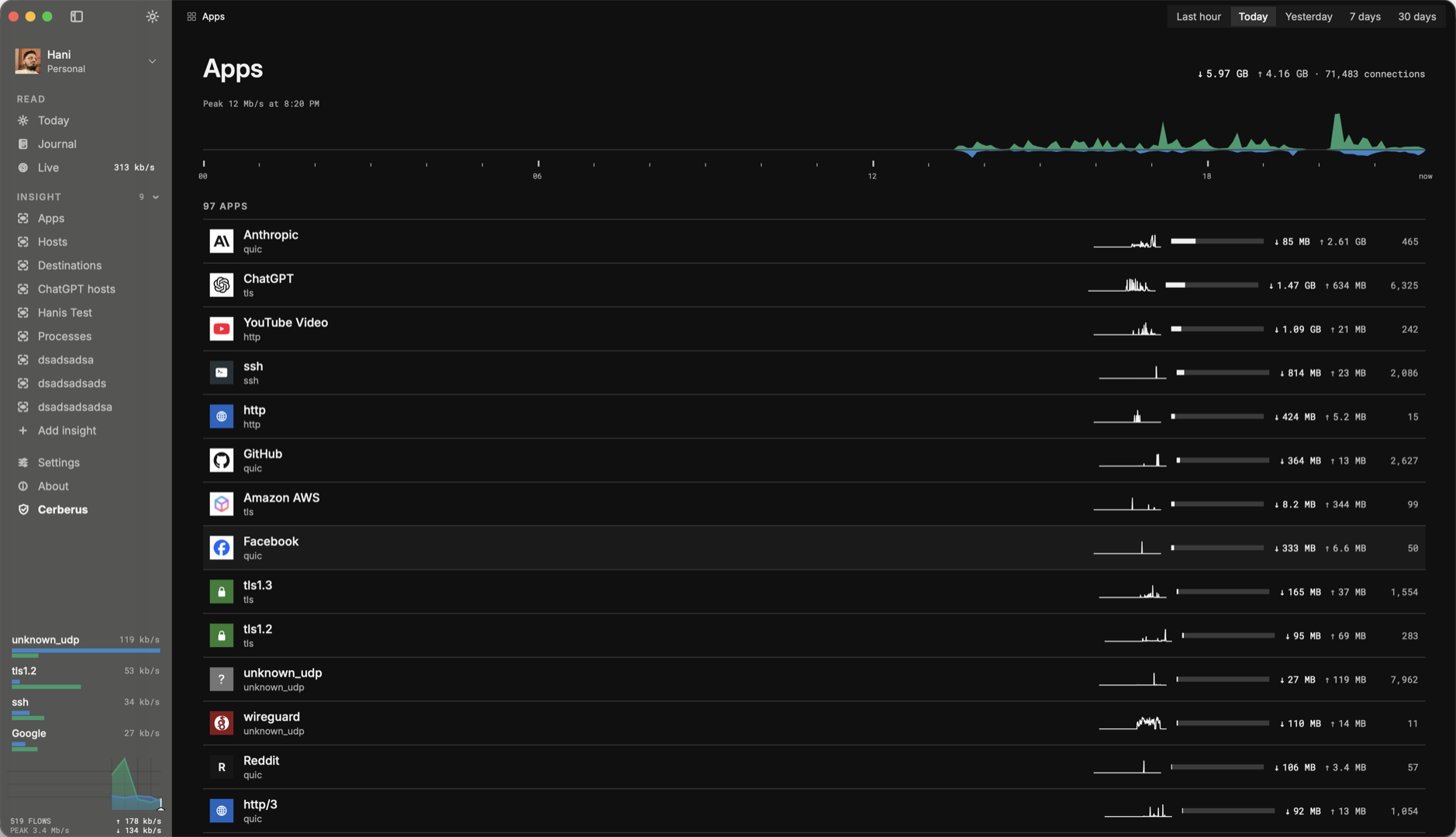
Every flow, right now, by name.
The last sixty seconds as a spine, then the tree: application, app, hostname, flow. Up and down rates, trend, flow count, and round-trip time for every row. Reorder the path to read it your way.
- 1,400+ signatures, TLS and QUIC included, nothing decrypted
- Process attribution where macOS allows it
- Click any row for the flow's details, the host's ownership, and its country
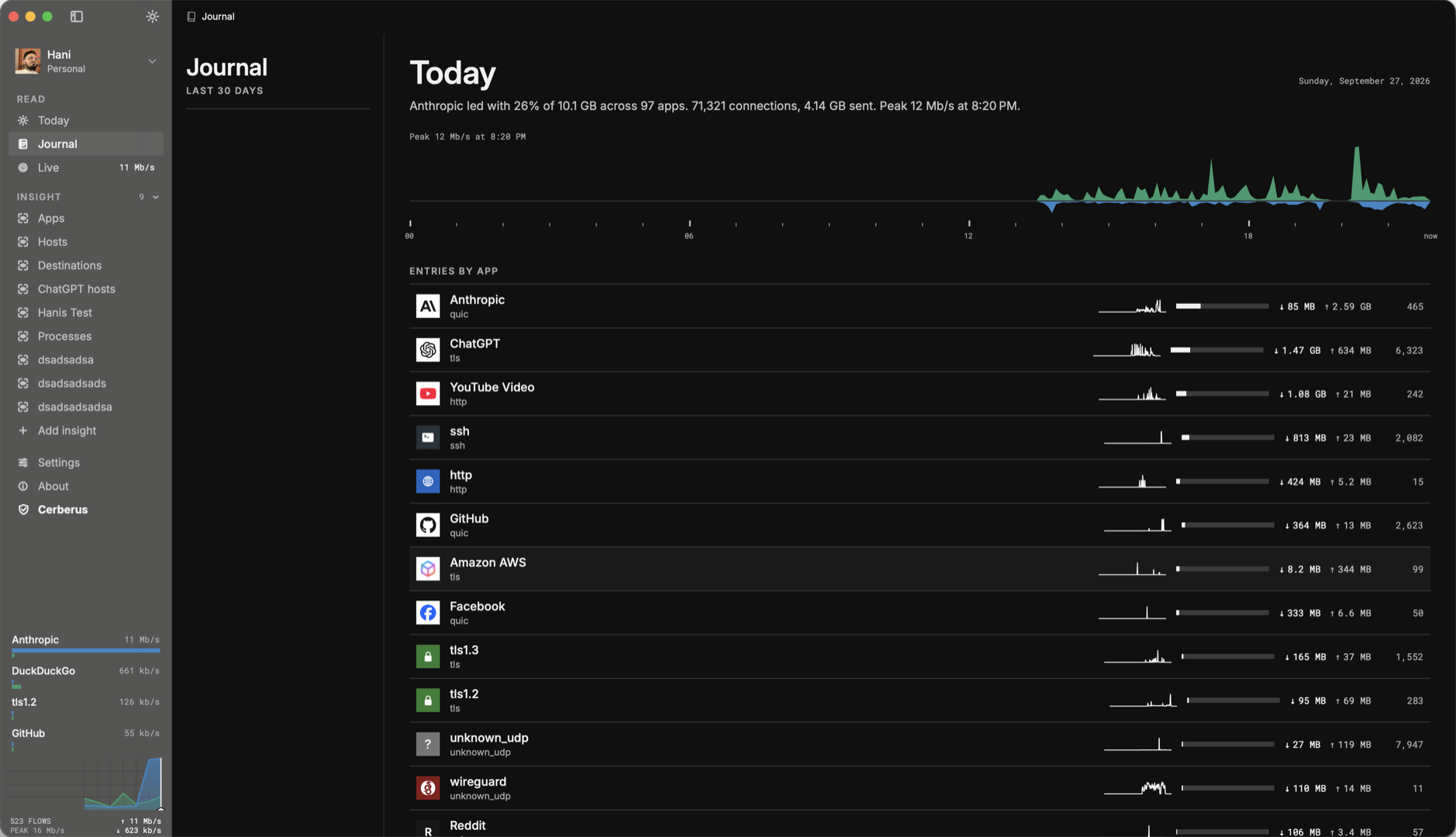
Your history, one day at a time.
Every day gets a page: entries by app, by hour, with the briefing that was written that morning. Scroll back to see when a habit started or when a machine began talking to somewhere new.
- Kept on your Mac, in a database you can open
- Days are rolled up per app, never as raw packets
- Compare any two days
Saved questions that stay answered.
Apps, Hosts, Destinations, and Processes ship as insights. Add your own: every host ChatGPT talks to, every upload over a megabit, every flow from one process. Each insight is a live table with the same columns as Live.
- Filter by app, host, port, direction, rate, process
- Pinned in the sidebar with a live rate
- Export any table
Write the rules. Or let your agents handle them.
FlowRuby is FlowSense's policy language. Write rules yourself or let your agents write and manage them for you. Match apps and devices, block unwanted connections, set schedules, and label your own services by hostname.
- Scope rules by app, device, or destination
- Order exceptions, set schedules, and expire temporary rules
- Label your own services by hostname
Match an app and block its connections.
flowruby 1.1

# Check rules in order; stop at the first match.
policy_chain "main" do
  position 10
  mode :first_match
end

# Block a named app, rather than every connection.
policy "block-youtube" do
  chain :main, position: 10
  where { app == "YouTube" }
  action :drop
end
flowruby 1.1
policy_chain "monitoring" do
position 10
mode :match_all
end
# Match traffic without blocking it.
policy "watch-https" do
chain :monitoring, position: 10
where { proto == "tcp" && dst_port == 443 }
action :observe
note "Review HTTPS traffic before adding a block."
endflowruby 1.1
# Give a group of devices a reusable name.
# Replace this example MAC with your device's MAC.
mac_set "kids", members: %w[aa:bb:cc:dd:ee:01]
policy_chain "main" do
position 10
mode :first_match
end
# Both conditions must match: the app AND the device.
policy "kids-video" do
chain :main, position: 10
where {
app.in?(["YouTube", "Netflix"]) &&
subscriber_id.in_set?("kids")
}
action :drop
endflowruby 1.1
# Lower positions run first inside this chain.
policy_chain "main" do
position 10
mode :first_match
end
# Leave this app alone within this chain.
policy "video-exception" do
chain :main, position: 10
where { app == "YouTube" }
action :observe
end
# The exception above wins for YouTube.
policy "block-video" do
chain :main, position: 20
where { app.in?(["YouTube", "Netflix"]) }
action :drop
endflowruby 1.1
policy_chain "main" do
position 10
mode :first_match
end
# A repeating evening rule, Monday through Friday.
policy "evening-video" do
chain :main, position: 10
where { app.in?(["YouTube", "Netflix"]) }
action :drop
# 9 PM to 7 AM; times use the explicit UTC offset.
schedule days: %w[mon tue wed thu fri],
start: "21:00", end: "07:00",
utc_offset: 5
endflowruby 1.1
policy_chain "main" do
position 10
mode :first_match
end
# A one-off rule that expires automatically.
policy "focus-session" do
chain :main, position: 10
where { app == "YouTube" }
action :drop
# Example dates: replace with your own UTC window.
starts_at "2027-01-10T09:00:00Z"
expires_at "2027-01-10T11:00:00Z"
enabled true
note "Two hours of focus; created by your agent."
endflowruby 1.1
# Use an unused customer ID for your own app label.
app "Team Portal" do
id 4097
slug "team-portal"
category "custom"
end
# Relabel matching TLS traffic so policies can name it.
flow_relabel "team-portal-label" do
priority 30
where { app == "tls" && hostname == "portal.example.com" }
set_app "Team Portal"
end
policy_chain "main" do
position 10
mode :first_match
end
policy "watch-team-portal" do
chain :main, position: 10
where { app == "Team Portal" }
action :observe
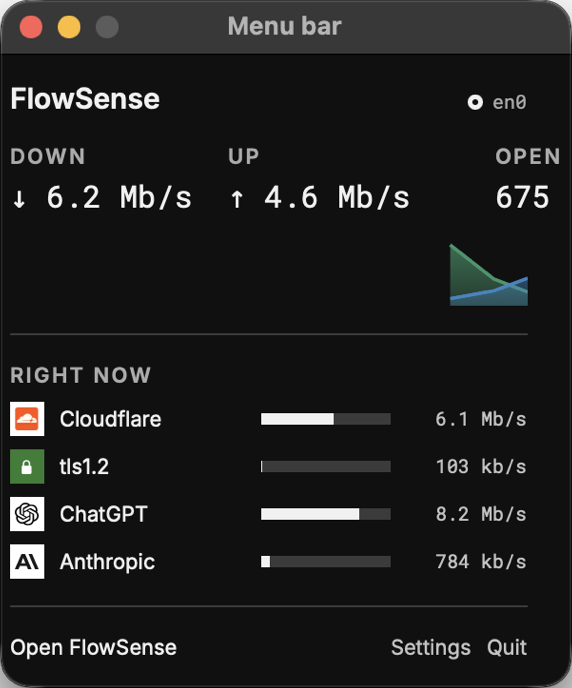
endGlanceable from anywhere.
A tiny spine of the last minute and the download rate sit in the menu bar. Click for the rate now, the top apps, and the state of the capture service.
- Never more than one click from the answer
- Pauses capture from the same panel
Local models. Connected agents.
Briefings, chat, and voice run on Apple Intelligence or on a model you download from Hugging Face into the app. Local inference runs on your Mac. You can also choose connected agents, which receive conversation context and selected traffic information through their own providers. See our privacy policy for details.
- Model library with one-click download
- Voice conversation with the persona
- Claude, Codex, or any MCP client can ask what is talking to what