FlowSense vs Little Snitch
Both show what your Mac connects to and let you block it. Little Snitch can ask you about each new connection. FlowSense names the service inside each app's traffic, and can slow it as well as block it.
Facts checked on 31 October 2026.
The Short Answer
| If You Want | Pick |
|---|---|
| To allow or deny each new connection before any data leaves | Little Snitch |
| Linux, an Intel Mac, or macOS 13 or earlier | Little Snitch |
| One licence for several of your Macs, and no account | Little Snitch |
| The service inside each app's traffic, such as YouTube inside a browser | FlowSense |
| To slow an app or service instead of blocking it | FlowSense |
| An AI guard that runs on your Mac, and MCP for your AI apps | FlowSense |
| To watch your traffic for free, with no time limit | FlowSense |
What Each One Identifies
Little Snitch shows where your Mac connects to on the internet: each app and the servers it talks to, with data volumes, server locations, ports and protocols.
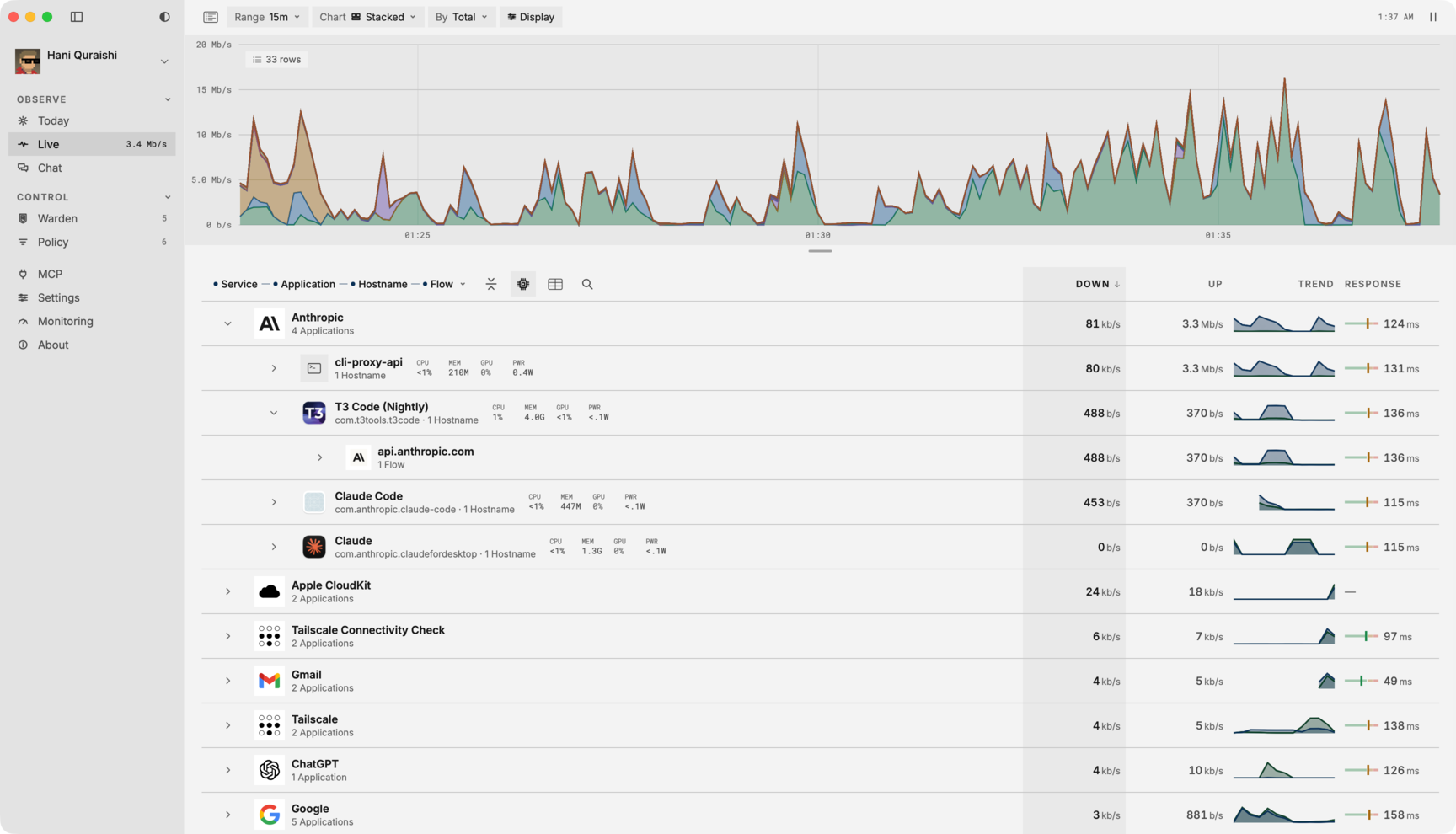
FlowSense reads each connection's handshake, without decrypting anything, and names the app and the service inside its traffic: 800+ apps and services. In Live, a browser's traffic splits into the services inside it, such as YouTube or Slack, then their hostnames. How the engine names them.
Blocking
Little Snitch shows a connection alert so you can allow or deny a new connection, or, in Silent Mode, allows new connections at first. Its rules can limit an app to specific servers, domains, ports or protocols, for outgoing and incoming connections. You can switch between profiles and subscribe to blocklists, which update daily.
FlowSense Full blocks or slows any app, hostname, category or device the engine can name, with schedules, exceptions and expiry on any rule. Block lists such as EasyList, EasyPrivacy and Spamhaus DROP are fetched daily. Warden, the AI guard, suggests what to block, slow or allow for each new connection. It asks you first unless you choose Auto, a Research Preview. Rules run in a macOS network filter, which you allow once. See the features.
Slowing Traffic
FlowSense Full can slow an app or service to a rate you set, so a backup or a model download doesn't starve a call. Little Snitch's site doesn't list slowing traffic or bandwidth limits.
AI
Little Snitch 7, in beta since October 2026, adds a research assistant that explains a connection when you ask. It never runs on its own. Requests go to a server Objective Development runs in the EU, which may ask an external AI provider, currently Anthropic. Only the connection's technical details are sent.
FlowSense's Warden runs on a bundled model on your Mac. It's a Research Preview, and a cloud decision provider is optional. Chat answers questions about your traffic with a local model, or OpenAI or Claude on your own key. Over MCP, Claude Code, Codex, Cursor or any MCP app can read your traffic and add rules, from a server that runs only on your Mac.
Platforms and Price
| FlowSense | Little Snitch | |
|---|---|---|
| Runs On | Macs with Apple silicon, macOS 14 or later | Apple silicon and Intel Macs. Version 6.5 runs on macOS 14 to 27, with older versions for older macOS. Little Snitch for Linux is a separate, free app |
| Free | Watch your traffic with no time limit | Demo mode: everything, three hours at a time, restart as often as you like. The Network Monitor expires after 30 days |
| Price | $29 once until 9 November 2026, then $49, for one Mac, refundable within 30 days | $59 for a single licence (59 € in Europe), valid for versions 6 and 7: one user on several Macs, or several users on one |
| Sign-In | A free account, even for Free | A licence key |
| History | Today: traffic by app, direction and hour | Up to twelve months of traffic history |
FlowSense isn't sold in the EU, the UK, Iceland, Liechtenstein or Norway yet. FlowSense pricing.
Where Little Snitch Is the Better Choice
- You want to approve each connection before any data leaves your Mac.
- You use Linux, an Intel Mac, or macOS 13 or earlier.
- You want one licence for several Macs, and no account.
- You want a long track record. Little Snitch has been around for more than 20 years; FlowSense launched in October 2026.
- You live where FlowSense isn't sold yet.
Trying FlowSense if You Use Little Snitch
Start with FlowSense Free. It only watches, so you can compare what each app names before you change anything. The 7-day trial unlocks everything, including rules and Warden. Rules don't carry over: write the ones you need in FlowSense, or ask Warden or an AI app over MCP to write them.
Sources
- Little Snitch: product page
- Little Snitch: download and macOS versions
- Little Snitch: order page and licences
- Little Snitch 7 beta: release notes
- Little Snitch on Apple silicon (Help Center)
- Little Snitch for Linux
Little Snitch is a trademark of its owner. FlowSense is not affiliated with Objective Development.